
Releases
EPOS Release 24.3 - Discover the Highlights
Version 24.3 of EPOS is now available for download!
Read more

We've redesigned the EPOS Dashboard in order to increase the user-friendliness and give you a better overview of all the functionalities:
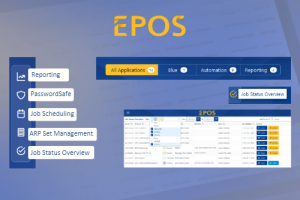
Let's take a look at some of the changes:
Application areas:
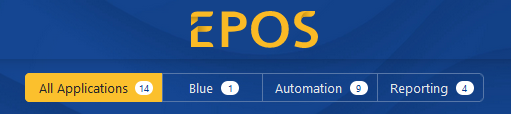
We now distinguish between:
Blue – this is where you will find all Applications of our BlueWorld: BlueCopy, BlueClone and BlueClientCopy
Automation – all tasks that perform changes to your systems such as patching and starting/stopping systems
Reporting – here you will find all collectors that, well, collect data on your systems.
You can read more about the Reporting function and collectors here.
New Menu Bar:
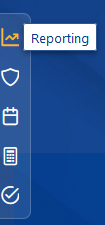
With only one click you have access to the following functions:
The Reporting and Job Status Display are brand new functions in Release 23.3.
Job Status:
If there is an update or maintenance work being done on your EPOS server, you can now see the current status of individual jobs at a glance.
All you have to do is click on the icon "Job Status Overview" and then filter for the status of the jobs you would like to see displayed.

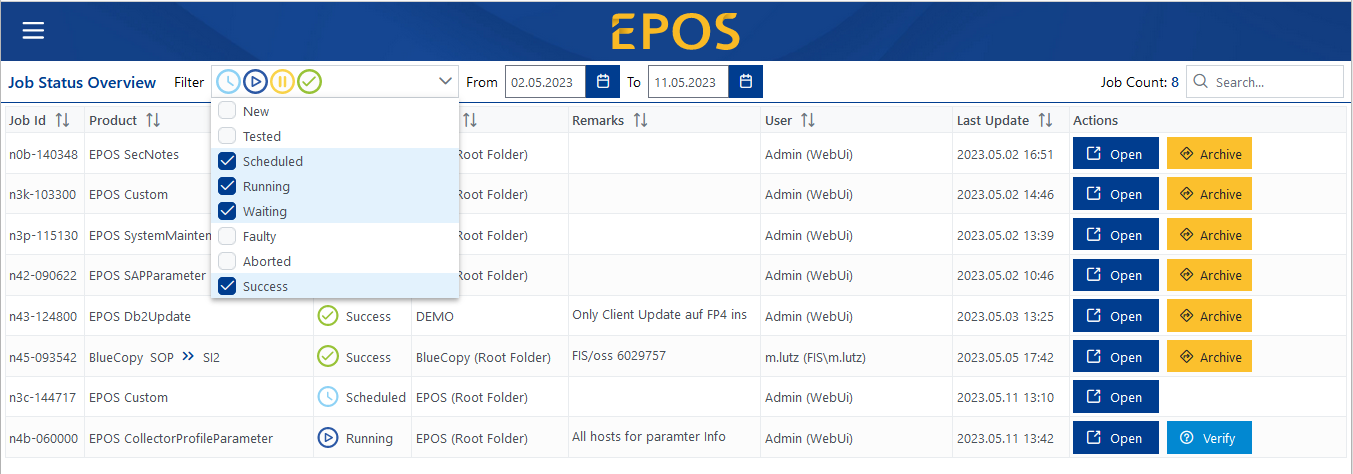
From within this view you can then open the job, archive it or even inspect it.
Do not hesitate to get in touch with us if you have any questions, suggestions or feedback for us.
If you have any questions or concerns, please feel free to contact us at any time. We are here for you!
Stay up to date with the latest news
Version 24.3 of EPOS is now available for download!
Read more
We're in the thick of developing our next release and we're excited to share the planned enhancements with you.
Read more
Transform your business with SAP Basis automation: EPOS makes it simple. Learn to save time and enhance productivity with our expert guide
Read more